Tuesday, October 5, 2010

My Lightroom Series - Introduction


Lightroom Photo Management Software

A photo management tool is a photographer’s third best friend, right after light and a camera; in that order. Lightroom fills the photo management role and a little bit more. Now I am not here to discuss if Lightroom is better than Aperture, Capture NX, ACDC or any of the numerous other tools out there. I am here to discuss how Lightroom can be used to its fullest potential for the average amateur and professional photographer. Lightroom is available for Windows and Mac.

The latest version of Lightroom (version 3.2 as of this writing) brings to a photographer a plethora of tools for cataloging, editing and sharing photos. While it may not have all of the same tools as its competitors or in some cases has some tools that its competitors do not have, it is still a great tool none-the-less. For the features it may lack, the features it does have are deeply refined, smooth and expectedly fantastic for a product from Adobe. Yes Lightroom is developed by the same company that develops Photoshop. Also a purchased copy of Lightroom provides you the install bits for both the 32bit and the 64bit versions which will add some more flexibility to what OS you choose to run.

Lightroom is for all intents and purposes a tool for managing photos. While it has some fantastic photo editing tools built into it I want to make it cleat that Adobe’s Lightroom is not Adobe’s Photoshop. You cannot work with layers directly in Lightroom. While it may have some slide show tools built into it, it is not a presentation tool. While it may have some web page design tools built into it, it is not Adobe’s Dreamweaver. Instead, Lightroom is a practical tool that serves these purposes and a whole lot more.

Lightroom allows the photographer to load, catalog, edit, print and share photos and it does these very things very well. In addition to doing all of this, Lightroom does this in a completely non-destructive fashion. What I mean by non-destructive is that Lightroom makes no changes to the original image.

Instead Lightroom stores the changed values in a database (catalog) and shows the photographer a representation of the change in Lightroom. It isn’t until the user chooses to export the photograph that the changes are actually applied. But even then, the changes are applied to a new copy of the image; this like doing a save as in any other editor. What this means is that at any time the photographer may click the reset button and start working from the original photo from scratch, much like working with a negative. While it is not impossible, a normal user would have a hard time modifying the original image while working in Lightroom.

The latest version of Lightroom also allows for tethered shooting. Tethered shooting is the ability to plug a supported camera into a computer or laptop and shoot images directly into Lightroom. This was previously accomplished by using the auto import feature of Lightroom, which was clumsy and cumbersome as it required a separate piece of software, usually from the camera manufacturer, to tether to the camera then Lightroom would pick the photos up from a predetermined folder and import them. The new tethering feature bypasses the need for other software and there is no need for an auto import to be turned on. Only works with limited cameras from Canon and Nikon as of this writing, but more will be added with future patches.


Lightroom Keyword Tools
 Lightroom is broke into five modules for the user to work in. Each module servers a specific purpose in the work flow. The first module is the Library Module which is where the photographer can load, catalog and organize and search through a collection of photos. It is also here that the photographer can rate, compare, classify and sort photos as well as add and modify the metadata associated with a photo. The Library Module is a great tool because of its simplicity and flexibility. It allows the user to organize their photos in any way they see fit; by date, by subject matter, by phase of the moon, or by all three or none of the methods if the photographer feels like it.


Lightroom Develop Tools
 The second module is the development module. This is where the photographer makes simple adjustments like exposure, crop, saturation and redeye. The photographer can also make more advanced adjustments like graduated filters, spot removal, adding natural film grain or even localized adjustments to the photo. Lightroom's blur effect can even produce a tilt-shift like effect when combined with two or more of the graduated filters. Even black and white conversions as well as split toning effects like sepia can be accomplished in Lightroom.


Lightroom's Slideshow Tools
The third module is the Slide Show Module. This module is a presentation tool which allows the photographer to display selected photos as a slide show and even put the slide show to a sound track. The slide show can be shown full screen on a computer or it can exported as a PDF and even a movie. It is simple by design but effective none-the-less. The slideshow tool is customizable as well with plenty of options to meet just about any need.


Lightroom's Printing Tools
The fourth module is the Print Module. This module allows the photographer to print to any connected printer. It allows for custom contact and proof sheets to show to a client before final printing as well as the development of custom sheet layouts and the use of presets.

The last module, but not the least of the five, is the web module. This allows to the photographer to build customizable web pages for publishing images and galleries to an online website. While this tool in and of itself is a powerful tool, the real power comes from being to purchase plug-ins that allow for more customization and creativity in the presentation process. This module even includes flash-based web pages and galleries.


Lightroom Web Module
Over the course of the next several months I will be posting new content about each of the modules, covering each module in depth as well as additional features and how to use them. In many cases each module may take five more articles to properly cover all of the rich features of Lightroom. Each article will provide in depth details about each tool in the modules as well as provide screenshots of not only the tool, but the before and after affects of the tool on a real photo. At the conclusion of each module segment, I will post an article about my workflow in that module. While my workflow might not be the perfect workflow for you, it will give you a strong starting point for developing your own Lightroom workflow versus starting from scratch.

So stay tuned, because I am about to teach you everything you ever needed to know about Adobe’s Lightroom and how it can stream line your photographic workflow. It is going to be fun.

To make it easy for you to follow along, follow me on Twitter, @monkeypaw2u, as I will be posting on twitter when new articles are available.

Monday, October 4, 2010

Photogeddon - Day 8

Simple post of just images...

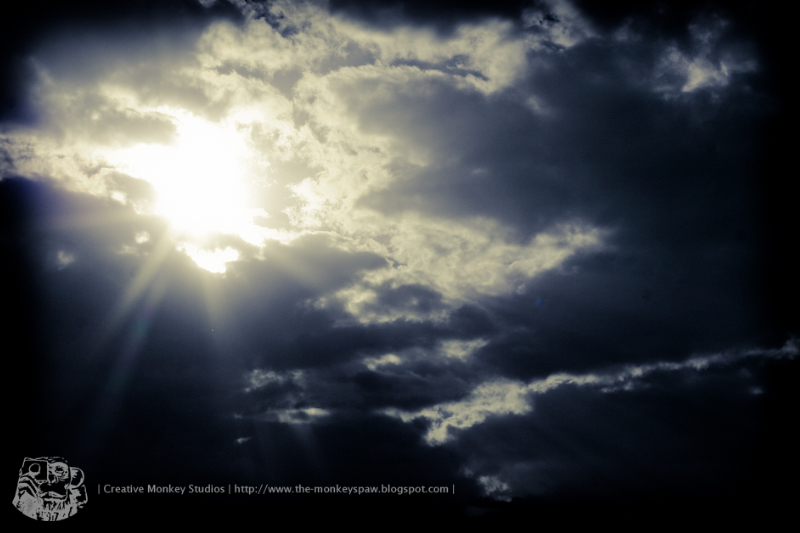
Sun God

Single

Different

Fall

Fenced In

Creativity Does Not Require Mastery

During a workshop hosted on EscalateLive, a few quotes were being published by several fellow Tweeters. One of the quotes that rubbed me the wrong way, slightly, was:


"You can't be creative without mastering your tools" ~ Julieanne Kost

I don’t agree with this, as it is quoted. It may have been quoted out of context, so I don’t want to complete flame Julieanne, but creativity is not a tangible tool that is handed to you. It is not a magic wand that instantly takes you from zero to hero on the creativity meter.

The main thing that irks me about this quote is that this is, in its very essence, out of context or not, another way of breaking the creative spirit. I am sure that this was not Julieanne’s intent with her statement, but in the quote as it reads, it is the same thing as saying “You cannot be a photographer unless you know everything there is to know about cameras, composition, light, Photoshop, actions, tone curves, textures, etc.” Talk about an overwhelming de-motivator. I imagine a lot people starting out reading this quote and thinking, “I have to know all of this to be creative?” This is absolutely not the case.

You can’t give a kindergartener a paint brush and show them how it works and expect them to paint with the likes Van Gogh or Pollack. A photographer can be a master of his camera, knowing all of the controls and settings and their purpose and uses, but absolutely lack an eye for photography; composition, light and artist detail. Creativity is developed and nurtured. It is honed. I may not have a command of the English language like Mark Twain or Edgar Allen Poe, but I can write creatively.

To master something means to know everything there is to know on the subject. Name one photographer who claims to know everything there is to know about photography and I can name a photographer who is liar. Creativity is, at its roots, experimentation. Creativity is learning. It is through this learning that we find our voice. It is through this voice that we discover the tools needed to share our voice.

You do not have to master the brush stroke to be painter. You do not have to master the fine art of composition to be a photographer. You don’t have to master the oven to be a baker. All you have to do it try.

I will admit that understanding the tools will help you along your creative endeavor, but it will not make or break a creative being. If everyone had to master their tools before being creative, I suspect that we would all still be living in caves and poking the ground with burnt sticks. If I were to reword that quote, I would say, “You can be creative without mastering your tools, but by mastering your tools you can be more creative.”